Custom synthetic video training data lets you specify human behaviors and scene conditions that are missing from your current dataset. VWU.AI develops scenarios, generates samples and reviews the agreed video and annotation deliverables before batch production.
A generated clip is useful only if it represents the requested behavior and meets your evaluation needs. Review visual consistency, labels and deployment relevance with representative samples first.
Synthetic production can address hard-to-cover combinations, but each relevant combination still needs validation. A larger clip count does not replace checking the intended action and coverage.
01
Long-tail behaviors
List the missing actions, interactions and context. Specify person roles, when the action should occur and the surrounding sequence. Include similar movements that should remain negative examples so the requested class has a clear boundary.
02
People and environments
Discuss the number of people, their roles and positions, indoor or outdoor settings and interactions. Separate conditions that must remain fixed from those allowed to change. Otherwise, several simultaneous changes can make evaluation difficult to interpret.
03
Camera and lighting
Describe the intended viewpoint, subject scale, occlusion and daytime or nighttime conditions. Ordinary visible-light synthetic video should not be treated as a verified simulation of a particular infrared sensor response.
04
Video and labels together
Specify duration, resolution, action timing, classes and temporal labels as one brief. Labels must describe the reviewed output, rather than assuming that the requested generation prompt was followed exactly.
Plan representative samples with a scenario matrix
The rows below illustrate planning fields, not a promised product specification. Validate the important conditions before expanding the combinations.
Field
Example requirement
What to inspect in a sample
Target behavior
A driver turns toward a passenger, with context before and after
The action, roles and sequence are observable
Related negative
A normal mirror check is excluded from that interaction class
The negative example does not become a positive label
Scene variation
Agreed seating, lighting and camera positions
The key behavior remains visible from the target view
Files and labels
Project-defined video specification, label version and metadata
The media, annotations and manifest agree
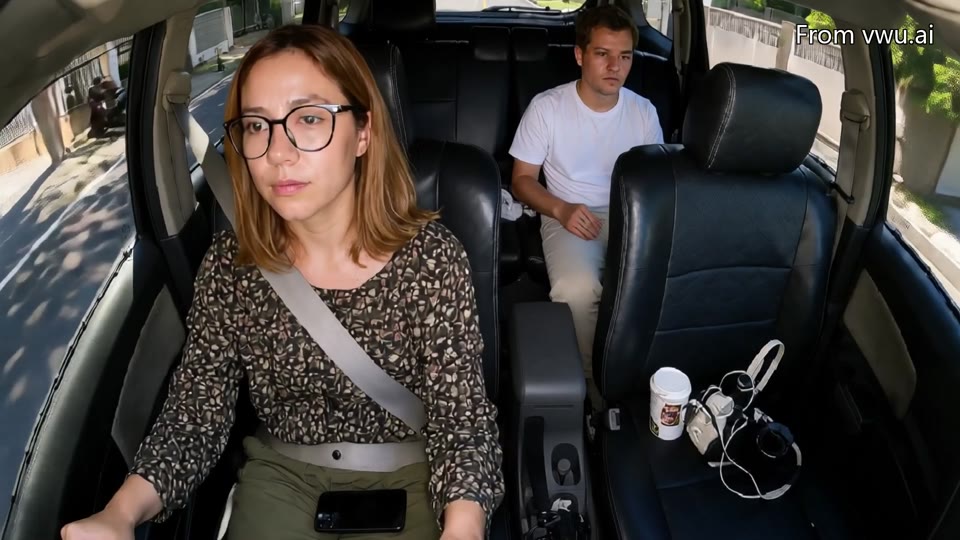
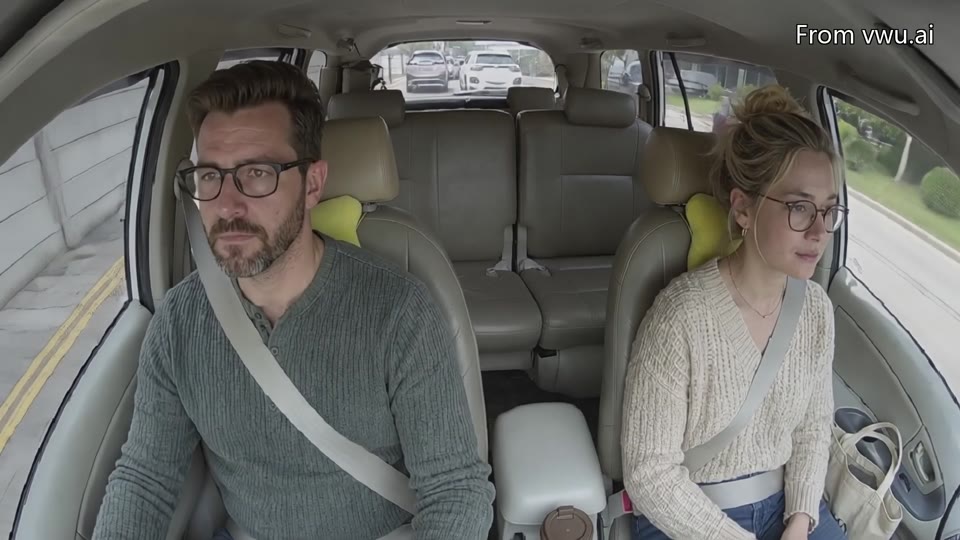
Inspect published synthetic in-cabin examples
These demonstrations support a scenario discussion. They do not replace a project sample or evaluation in the intended deployment environment.
Public synthetic example for discussing visible behavior and duration, not a medical diagnosis.
Separate video acceptance from model validation
After a clip passes content review, its usefulness still needs to be tested for your task. Keep provenance in the delivery so generated samples are not confused with real-world recordings.
01
Action and continuity review
Check that the requested action actually happens, people and objects remain consistent, interactions are plausible and adjacent moments connect correctly. Record and correct or exclude samples that fail the agreed criteria.
02
Synthetic and real differences
Generated footage can differ from deployment data in appearance, physical detail, sensor noise and population coverage. Performance on related generated clips alone does not establish real-world performance. No fixed model-accuracy improvement is promised.
03
Provenance and evaluation splits
Record synthetic origin and scenario groups in metadata. When creating training and evaluation splits, consider whether the same people, scenes or near-duplicate clips cross sets. Define the grouping rules as part of your evaluation design.
04
Expand after sample approval
Approve representative evidence for the important conditions before expanding quantity and variation. A new action, viewpoint or lighting condition may require another sample; it does not automatically inherit an earlier approval.
Questions to settle before production
A useful quote is based on a testable scope, not just a requested number of videos.
01
Can synthetic video replace all real data?
Whether to combine or replace a data source depends on the task, evaluation requirements and deployment constraints. Validate the proposed use on your task; there is no universal replacement ratio.
02
Are resolution and duration fixed?
Provide the target resolution, duration, aspect ratio and quantity. Feasible specifications and consistency requirements are confirmed during sampling. Website examples are not batch-production commitments.
03
What is needed to begin?
Share target actions, missing scenarios, camera conditions, positive and negative definitions, annotation requirements and intended use. The customization console can help organize an initial request.
04
How are usage rights defined?
Training, internal evaluation, public display and redistribution are different uses. Agree provenance, permitted uses, restrictions and post-delivery handling before the project begins.
Related services and procurement resources
Follow the task that matches your project to review requirements, deliverables and examples.